
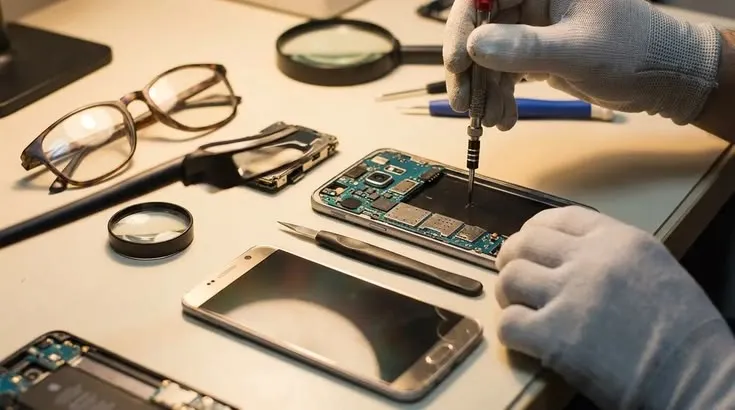
Samsung smartphones offer a wide range of features, from high-resolution displays to advanced camera systems and multitasking tools. However, like any electronic device, they can develop problems through accidental damage, everyday wear, or component failure. A phone that stops charging or develops unusual screen issues can interrupt work and personal communication. Professional Samsung repair Humble TX services can help users identify the cause and determine whether repairing the device is worthwhile. Understanding common Samsung problems also allows owners to recognize warning signs before the damage becomes more complicated.
Screen Problems Require Accurate Assessment
Samsung Galaxy devices use different display technologies depending on the model. Some feature advanced OLED screens that provide strong contrast and vibrant colors. These displays can be expensive to replace if damaged.
A cracked outer surface may not immediately affect the image, but more serious damage can cause flickering, colored lines, black spots, or touch failures. Professional diagnosis helps determine whether the issue involves the display assembly, a connection, or another internal component. The correct repair depends on the model and extent of damage.
Charging Failures Can Have Multiple Causes
Charging problems are among the most frustrating smartphone issues. A Samsung device may charge slowly, disconnect unexpectedly, or fail to recognize a cable.
Damaged accessories, contaminated ports, and worn connectors are possible causes. Software behavior and battery condition can also affect charging performance. Users can begin by testing a compatible charger and checking for obvious damage. If the problem continues, a technician may need to inspect the charging port and internal circuitry.
Battery Performance Changes Over Time
All rechargeable phone batteries gradually deteriorate. After extensive use, a Samsung phone may provide shorter operating time or require charging more frequently.
However, fast battery drain is not always caused by a defective battery. Screen brightness, background applications, mobile signal conditions, and software activity can influence power consumption. Battery diagnostics can help distinguish normal usage patterns from hardware deterioration. A swollen or excessively hot battery should be assessed promptly.
Software Problems Can Resemble Hardware Failure
A Samsung phone that freezes, restarts, or becomes unusually slow does not necessarily need replacement parts. Storage limitations, corrupted applications, and software conflicts can produce similar symptoms.
Restarting the device, checking storage availability, and reviewing software updates may resolve certain issues. However, repeated boot failures or persistent crashes can require deeper diagnostics. Factory resets should not be treated as an automatic solution because they can erase personal information.
Practical Maintenance Habits for Samsung Owners
Good maintenance cannot eliminate every failure, but it can reduce avoidable problems associated with rough handling and poor charging practices.
Useful habits include:
- Use a protective case suited to the device model.
- Keep charging connectors clean and dry.
- Avoid exposing the phone to excessive heat.
- Install appropriate security and software updates.
- Maintain sufficient free storage for normal operation.
- Back up important information regularly.
These precautions support everyday reliability without requiring specialized technical knowledge.
Choosing the Right Replacement Parts
Samsung phones vary considerably in design, screen construction, battery placement, and internal components. A repair suitable for one Galaxy model may not apply to another.
Customers should confirm that replacement parts are compatible with their exact device. It is also useful to ask whether the repair could affect fingerprint recognition, display characteristics, or other features. A technician should explain available options before beginning work and perform appropriate testing after completing the repair.
Professional Repair Versus Device Replacement
When deciding whether to repair a Samsung phone, consider the device’s age, condition, software support, and estimated repair cost. A relatively recent device with one damaged component may be a reasonable repair candidate.
A phone with several serious faults may require a different decision. Repair costs should be compared with the price and expected usability of a suitable replacement. Professional diagnostics can help customers understand the likely extent of the problem before making an expensive commitment.
Choosing a Dependable Repair Service
Repair quality depends on accurate diagnosis, compatible components, and careful workmanship. Customers should ask about the technician’s experience with their Samsung model and request a clear explanation of the proposed service.
Warranty terms and repair timelines also deserve attention. Some problems can be resolved quickly, while unusual faults may require additional testing or specially ordered components. Setting realistic expectations reduces confusion and helps customers prepare for temporary device downtime.
Conclusion
Samsung phone problems often begin with symptoms that appear simple but can have several underlying causes. Accurate diagnosis is important before replacing components or attempting complicated repairs. Screen damage, charging failures, software problems, and battery deterioration each require different approaches. Phone Repair Nerds offers local diagnostic and repair services to help Samsung users in Humble understand their available options. With appropriate maintenance, careful handling, and professional assistance when necessary, owners can make informed decisions about maintaining their devices instead of immediately replacing them.